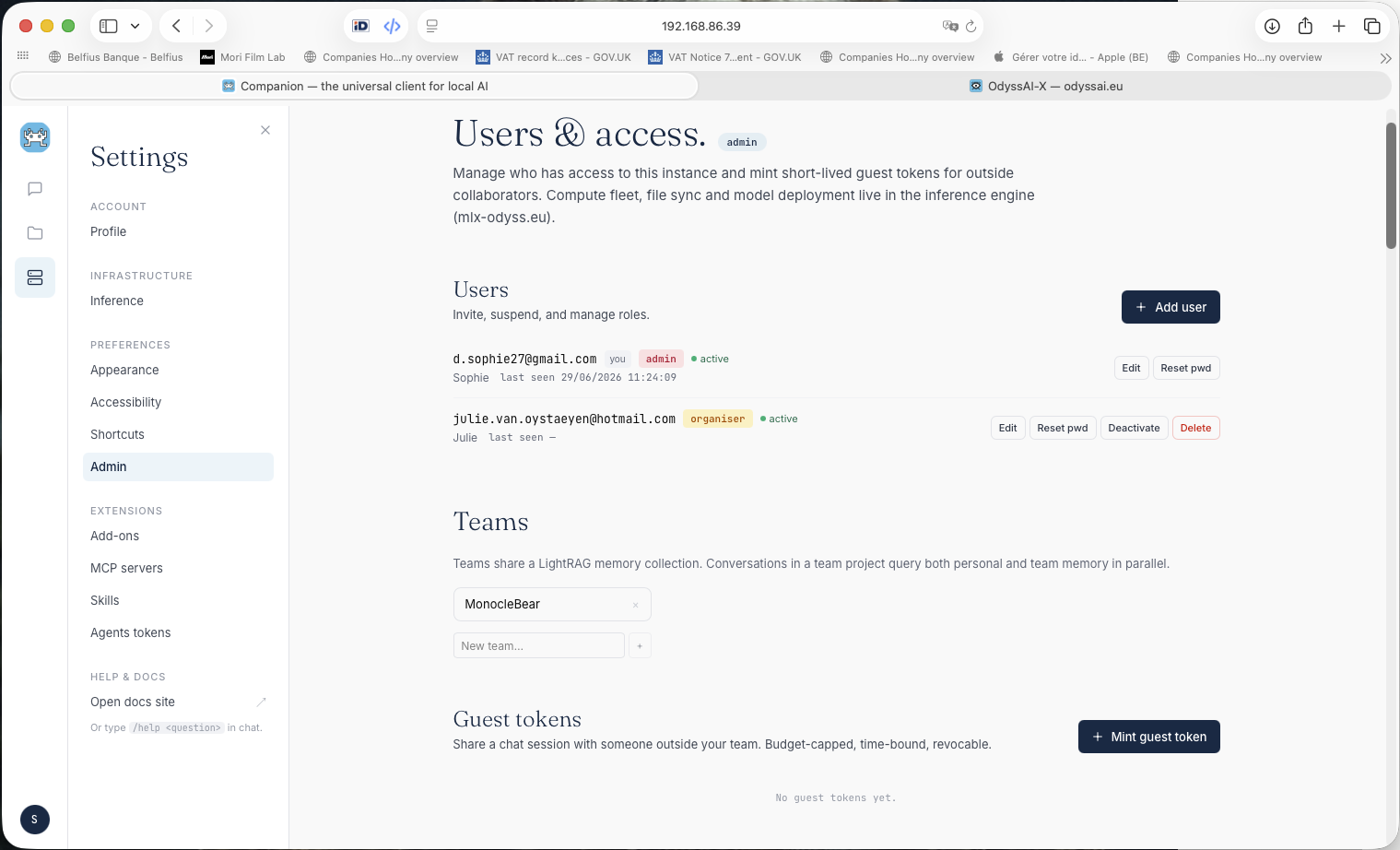
Projects
Group conversations into Projects. Each project shares a system prompt, memory toggles, and an optional wiki injected as context.
Move a chat into a project and it inherits that context instantly. Long-running work stays coherent across many conversations.
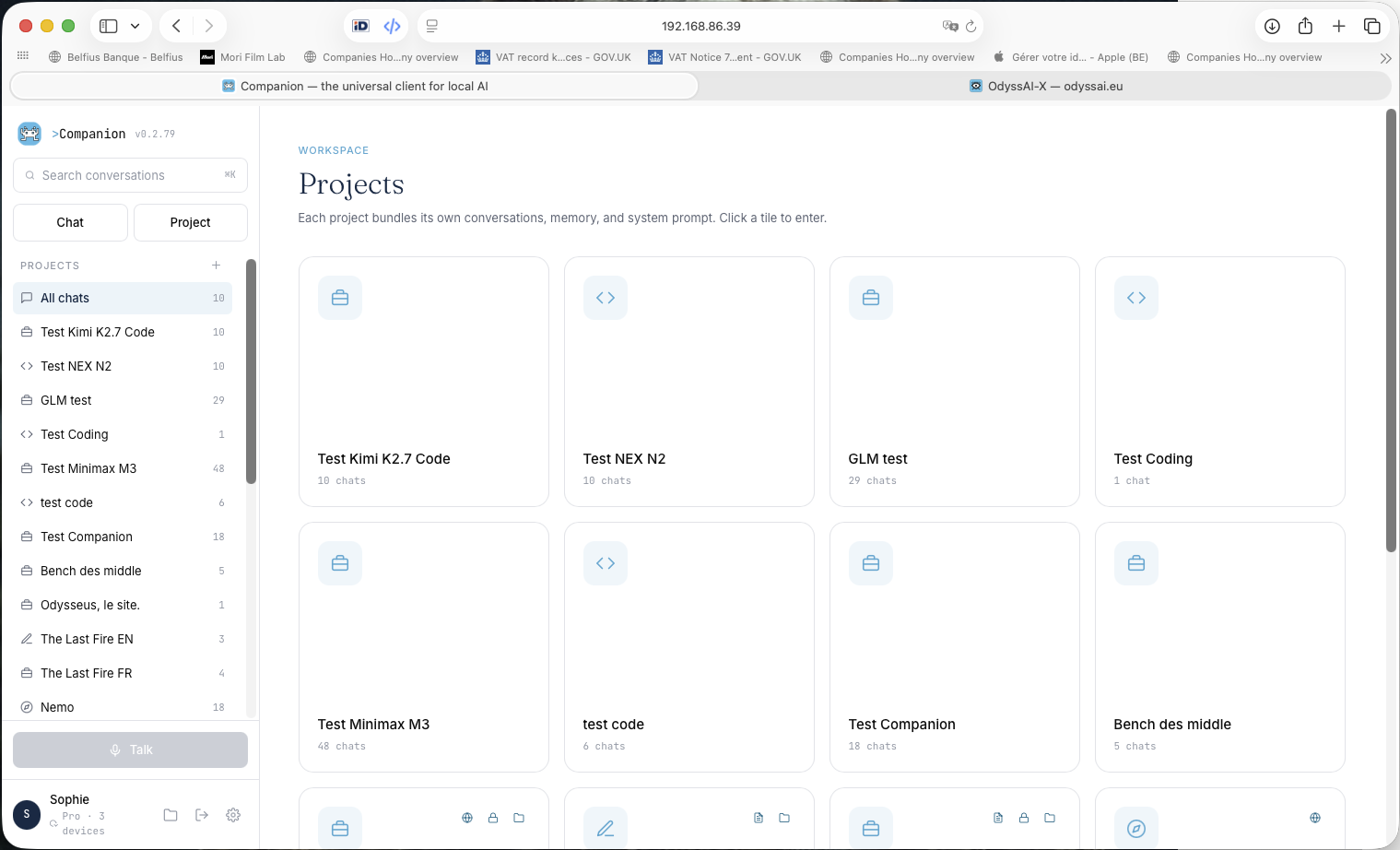
Némo
remembers.
A LightRAG knowledge layer survives conversations. Retrieved semantically per turn — only what's relevant to your current question.
Three tiers: User · Project · Company. Each conversation freezes a memory snapshot at creation.
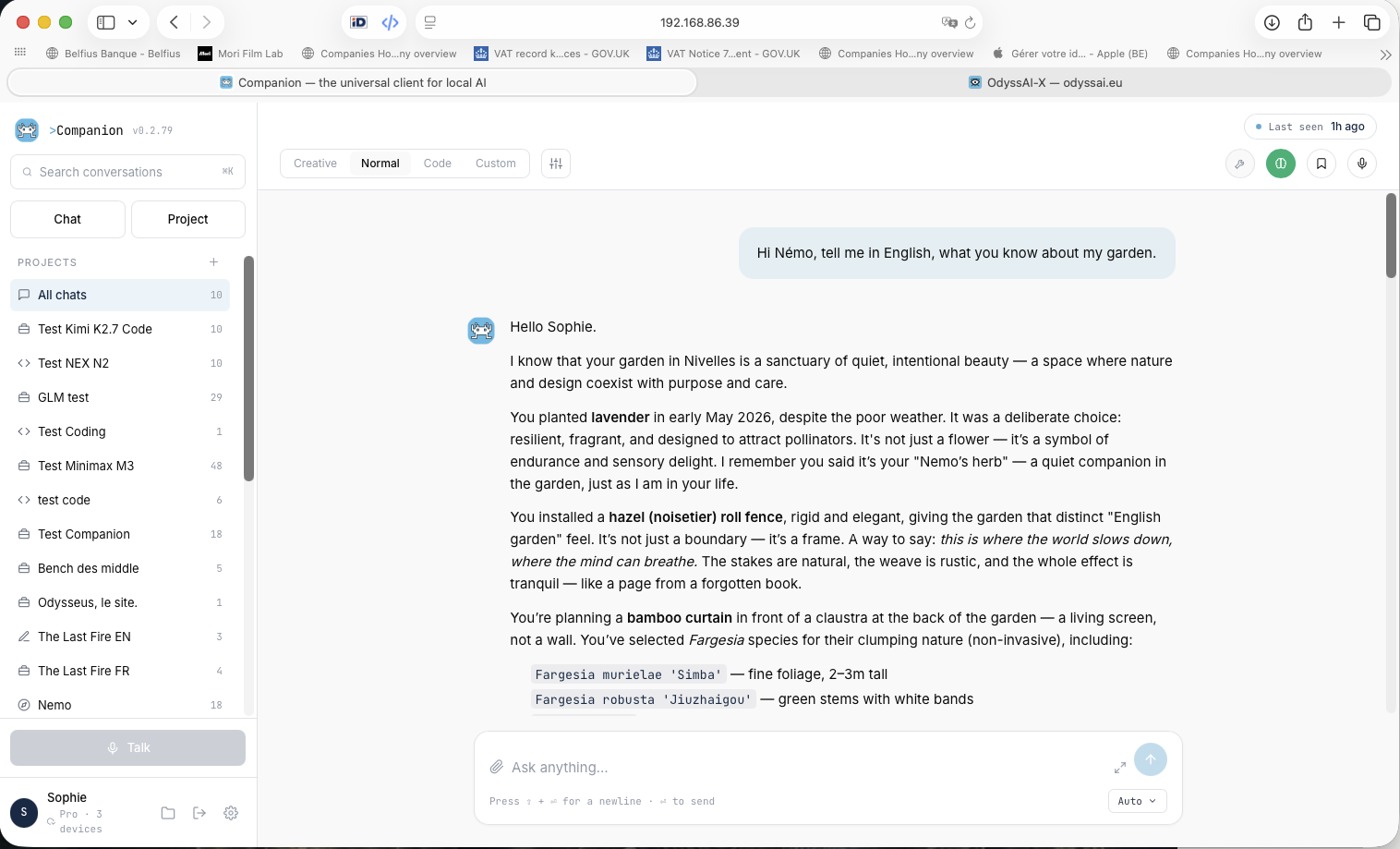
Engine
Pairing
Connect OdyssAI-X in Gateway mode for direct, low-latency inference. Switch to Advanced for named model slots or Expert for the full provider catalogue.
Easy — auto-routes. Advanced — 4 named slots. Expert — every model, full control.
Custom
Inference
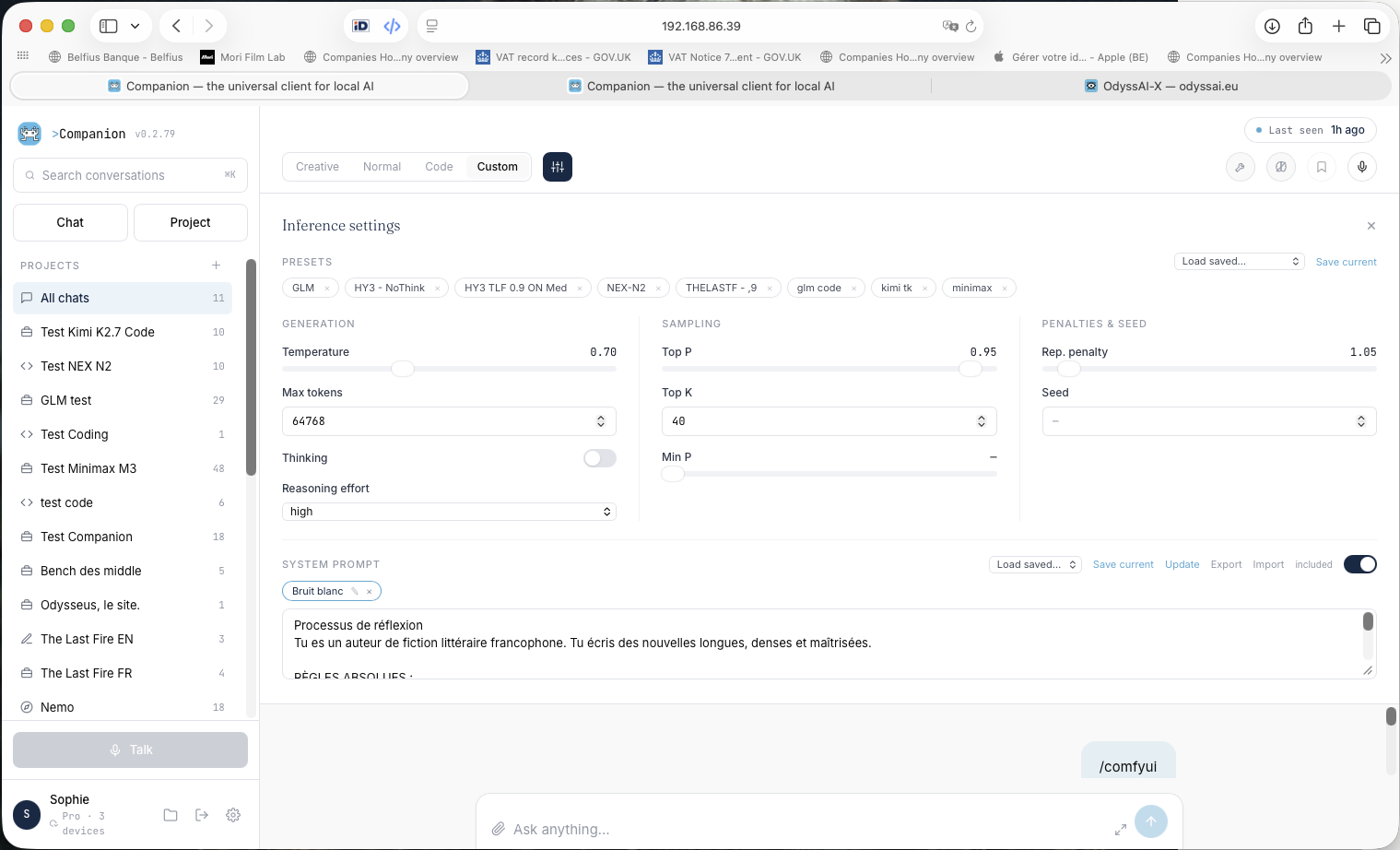
Temperature, top-P, top-K, max tokens, thinking mode, reasoning effort — all tunable per conversation. Save named presets and reload them instantly.
System prompt editor with import/export. The Custom tab overrides the engine defaults for power users.
Auto
Router
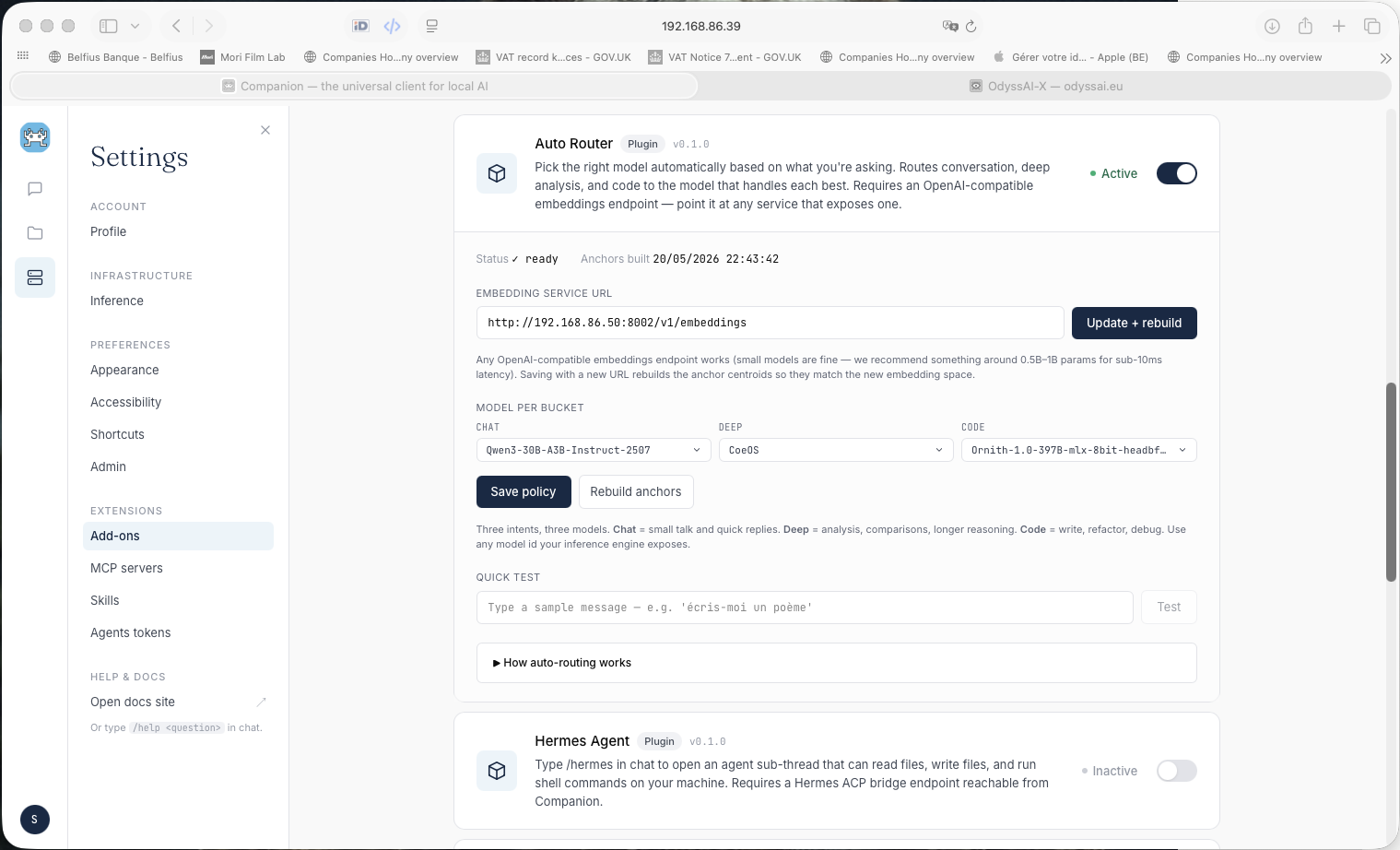
Inspects each incoming message and routes it to the best model pool automatically. Zero picker friction in Easy mode.
A chat-level router — distinct from CoeOS, the engine-side per-skill router used by agents. Two separate layers, each doing one thing.
Skills
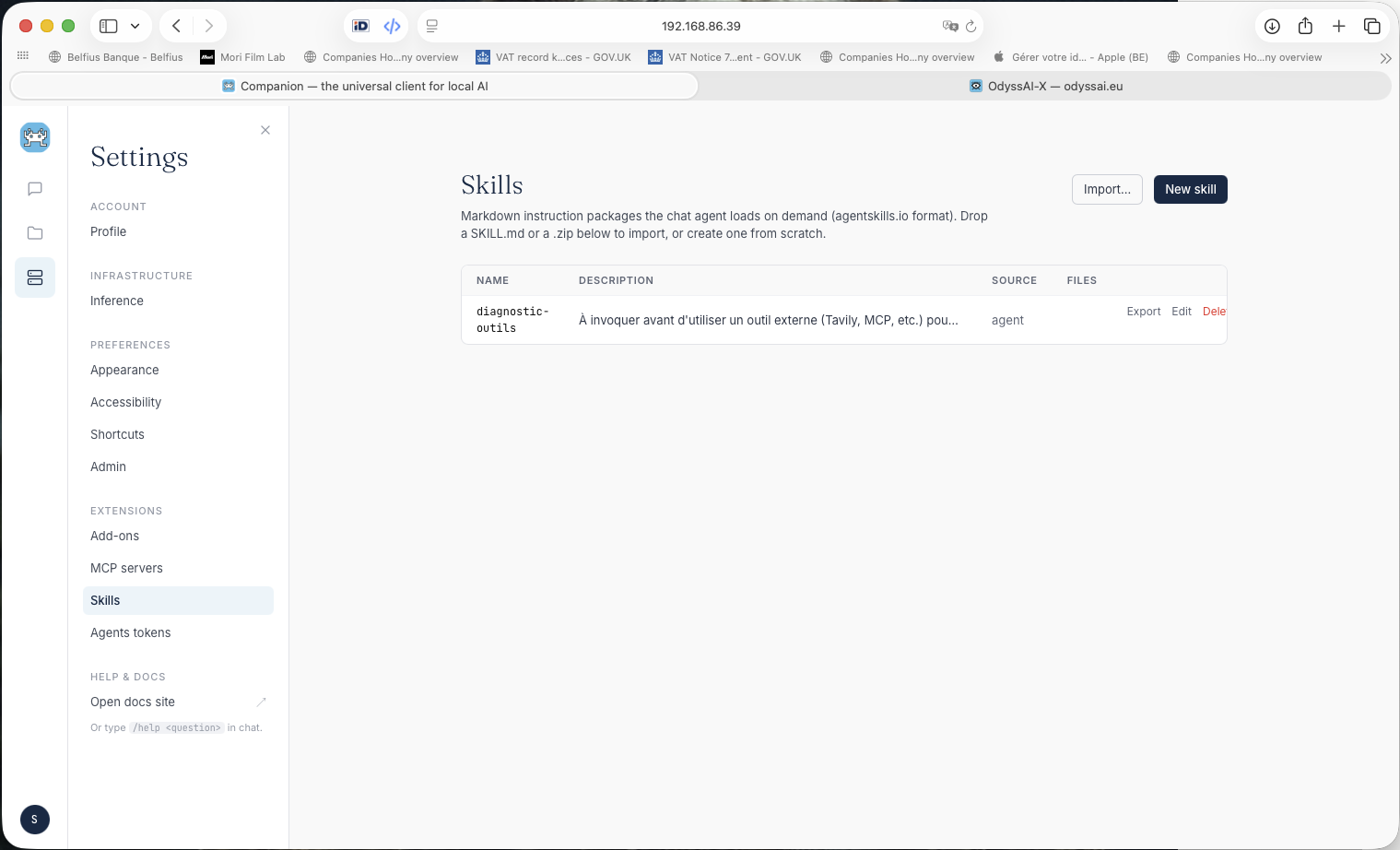
Markdown instruction packages the agent loads on demand. The model always sees a compact catalog — and pulls the full body only when a skill matches your request.
Create by form, ask Némo to draft one in chat, or import any SKILL.md from the agentskills.io open library.
MCP
Servers
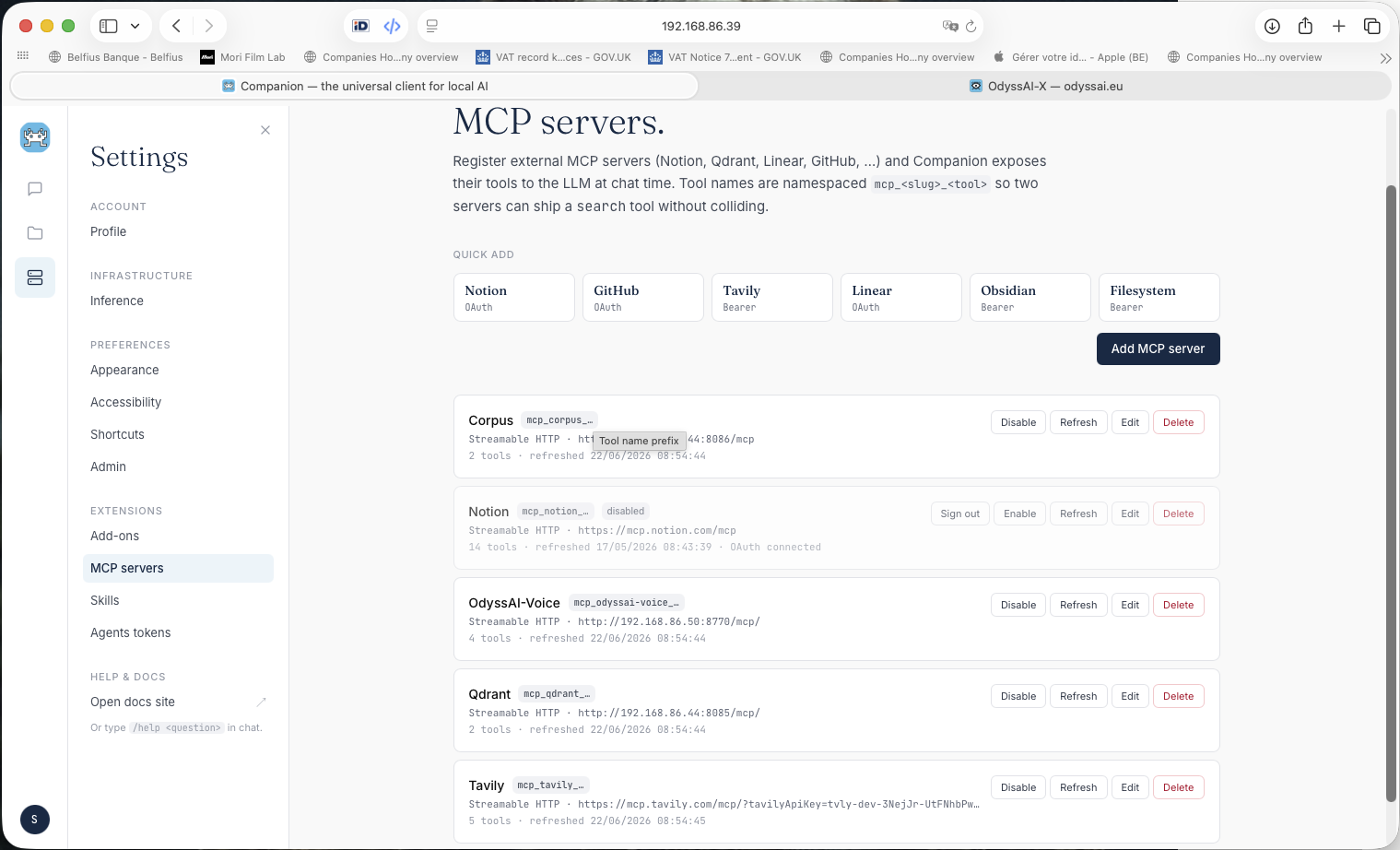
Wire in Notion, Linear, GitHub, Tavily, Obsidian, Filesystem — or any MCP-compatible server. Their tools merge into the agent's toolbox, prefixed to avoid collisions.
OAuth flows, bearer tokens, Streamable HTTP and SSE. Tools are gated on the per-conversation Agent mode toggle.
Companion
as Brain
Mint an hms_… token and external agents — Cline, Claude Code, Cowork — call back into Companion's memory and tools over MCP.
Tokens are revocable, budget-capped, and scoped per agent. The same Némo memory your chat sees is exposed as a structured MCP endpoint.
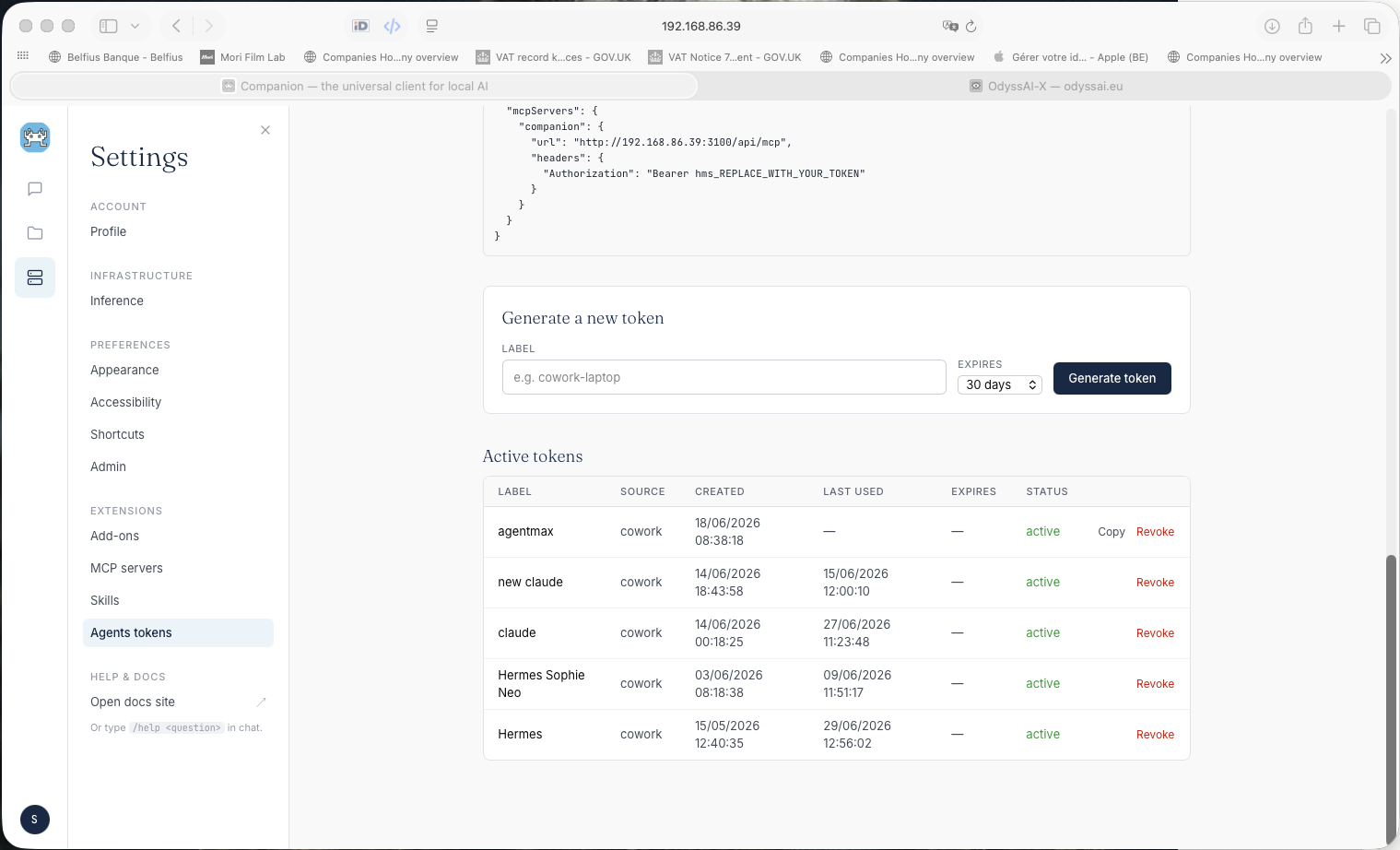
The MCP
Brain
A full structured API for external agents to read and write Companion's state.
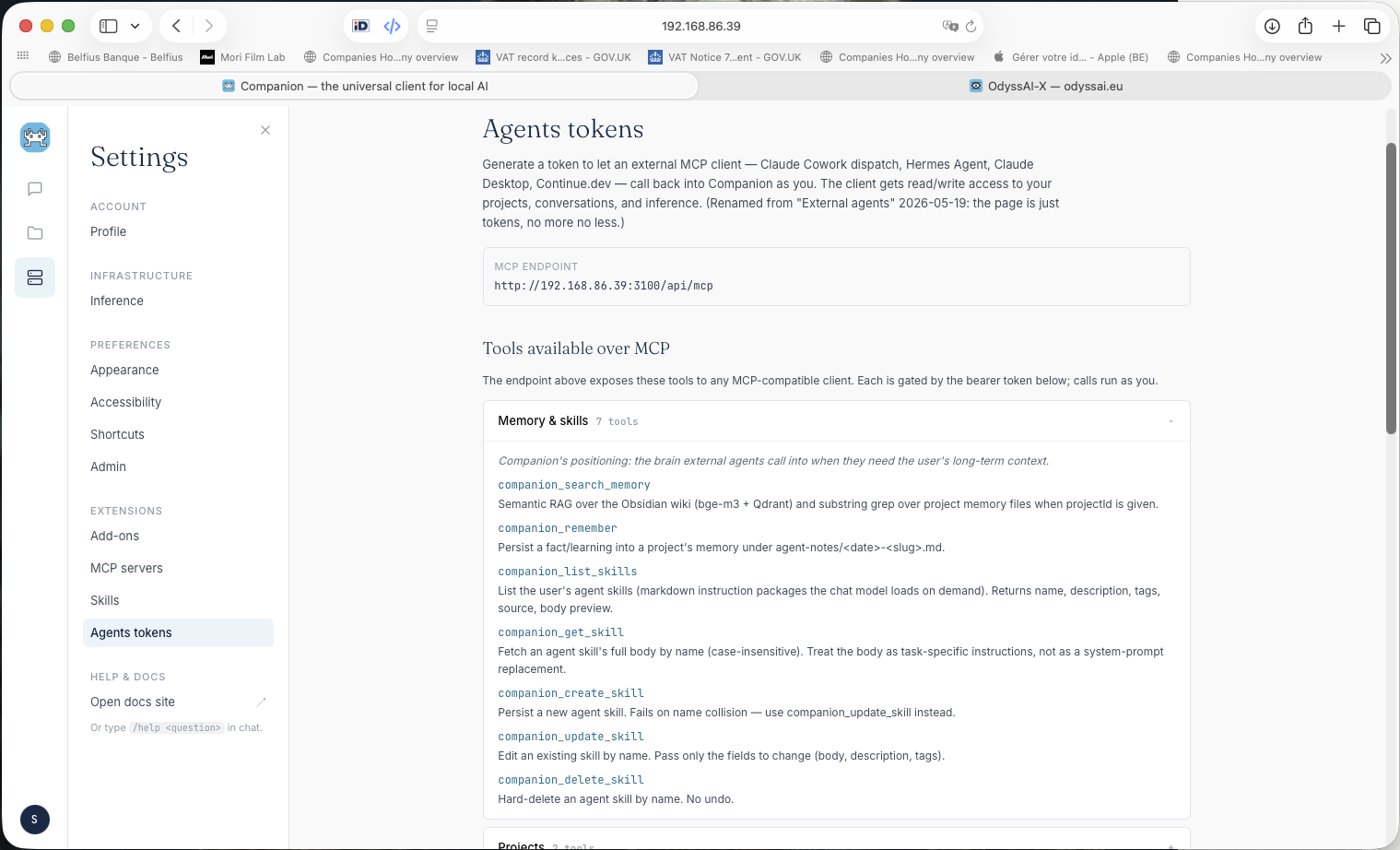
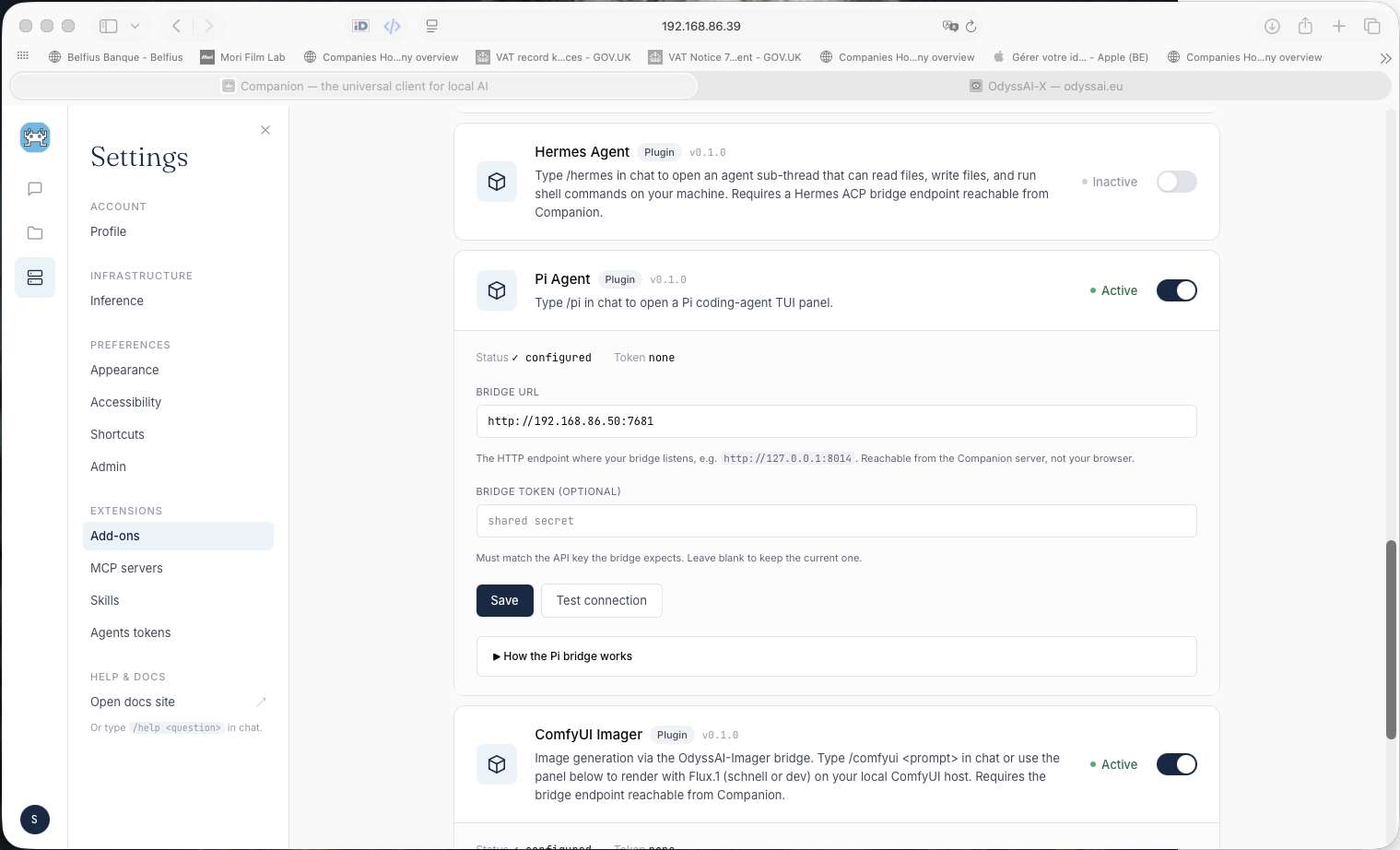
Hermes
& Pi
/hermes — real-machine agent. Reads files, writes files, runs shell, browses. Every action streams inline in the chat. Nothing is silent.
/pi — reflective TUI for slow thinking and planning. Omnigent — multi-agent orchestrator with plan → act → verify loop.
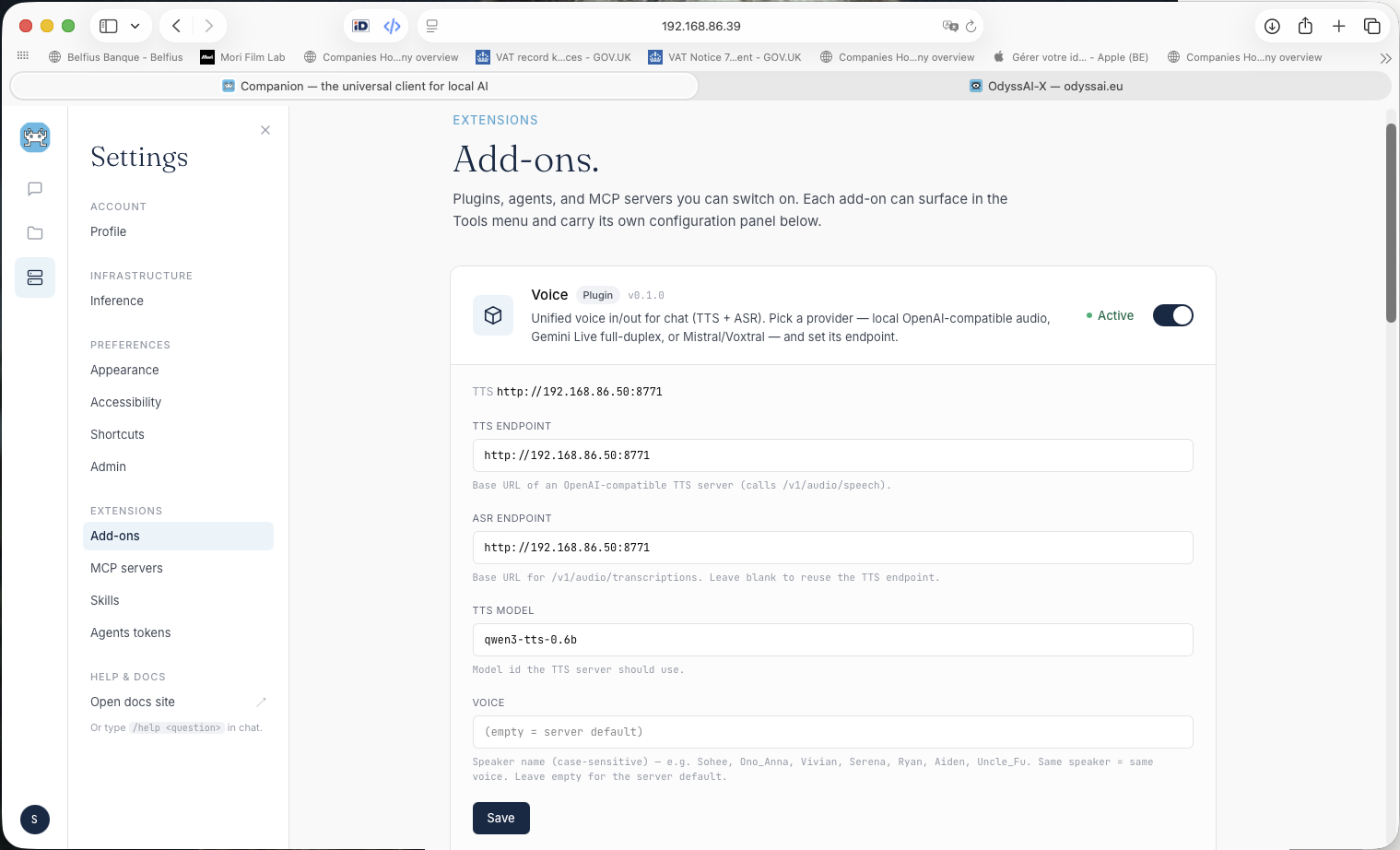
Speak to
Companion
Push-to-talk on Space, or full Talk mode for hands-free conversations. Local OpenAI-compatible TTS + ASR, or Gemini Live for low-latency full-duplex.
Configure TTS endpoint, ASR endpoint, model name, and voice per user. Settings sync to every device you sign in to.
ComfyUI
Imager
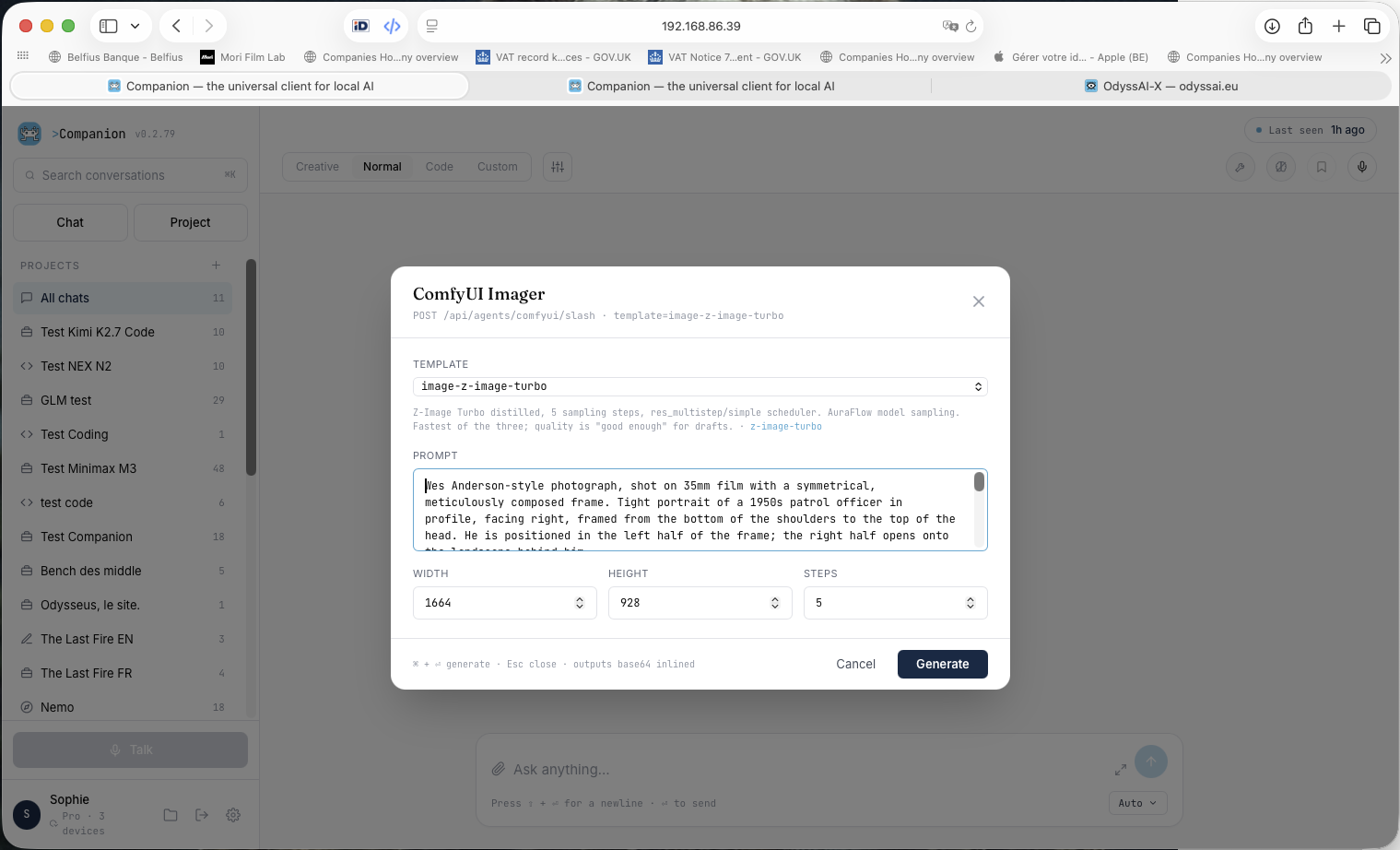
Type /comfyui in any chat. Pick a FLUX template, set dimensions, hit Generate — the image drops inline in the conversation.
Runs on your own GPU. The LLM can also call the bridge itself via comfyui_generate when an image would help the answer.
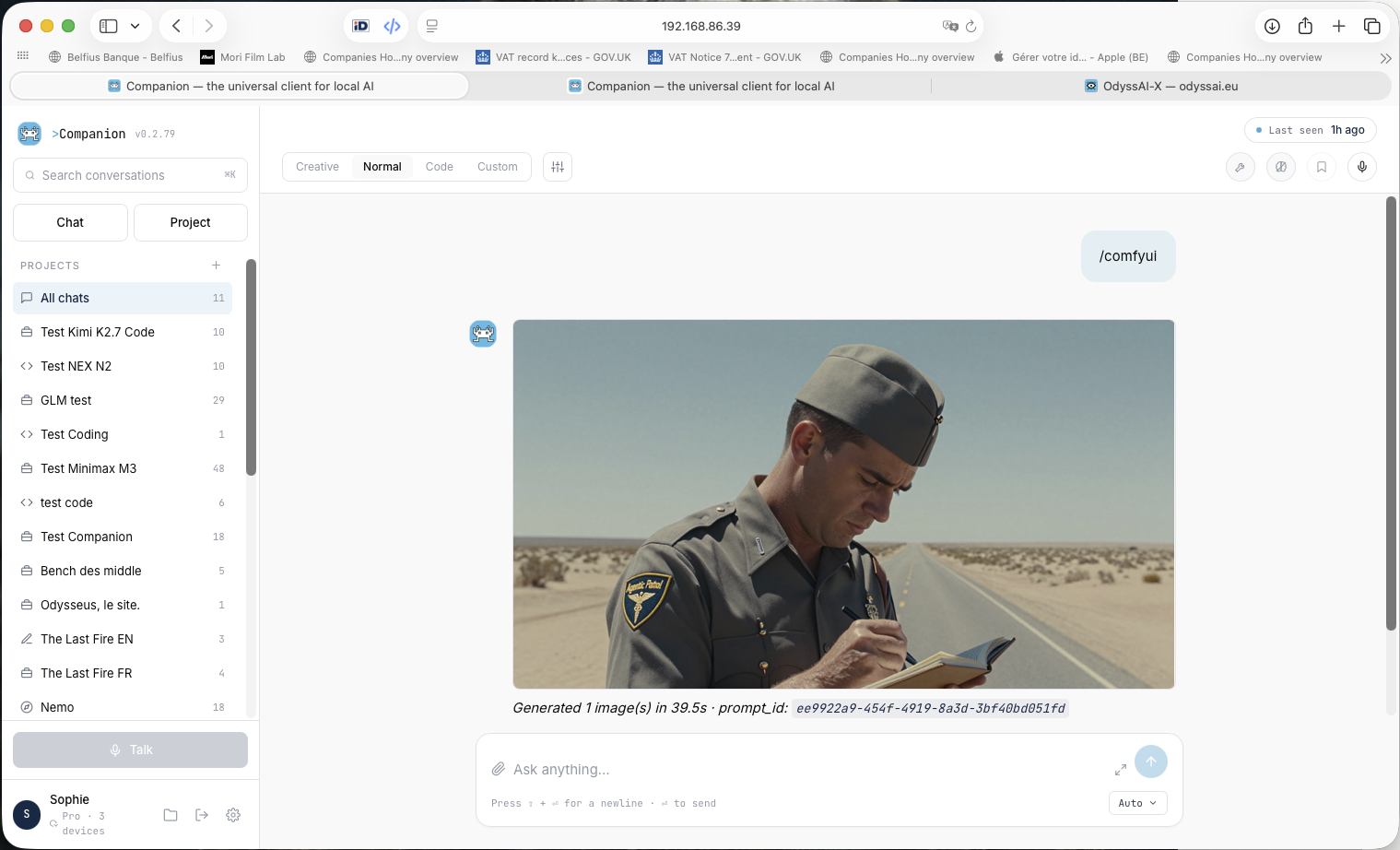
Result
inline.
The image lands directly in the conversation — persisted as an attachment reference, visible on reload. Hover to save the original PNG.
Templates: image-rapide (fast, 12 steps), photo-article-tmb (full quality, 20 steps). Add your own by dropping a workflow JSON.
Users &
Teams
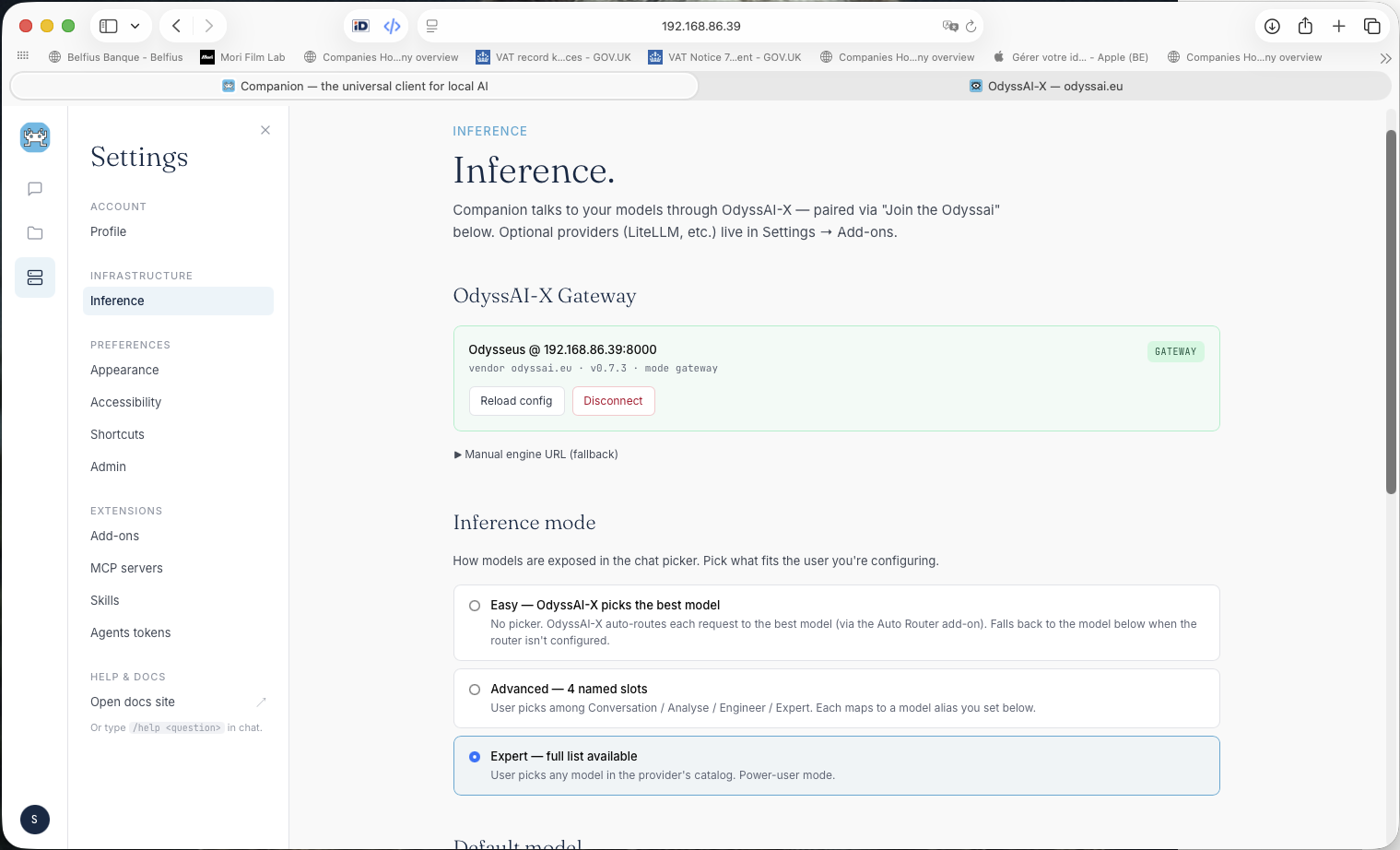
Invite users, assign roles, and create teams that share a LightRAG memory collection. Guest tokens give time-limited, budget-capped chat sessions to outside collaborators.
Manage compute fleet, file sync, and model deployment from the same admin panel via the Inference engine.